Rust Project Organization and Multi-Binary Projects
About This Module
This module covers advanced Rust project organization, focusing on how to structure projects with multiple binaries and libraries. Students will learn about Rust's package system, understand the relationship between packages, crates, and modules, and gain hands-on experience organizing complex projects. The module also discusses best practices for managing external dependencies and the trade-offs involved in using third-party crates.
Prework
Before this lecture, please read:
- The Rust Book Chapter 7: "Managing Growing Projects with Packages, Crates, and Modules"
- The Rust Book Chapter 7.1: "Packages and Crates"
Pre-lecture Reflections
- What are the conventional file locations for binary and library crates in a Rust project?
- How does Rust's module system help organize large projects?
- What are the security and maintenance implications of depending on external crates?
Learning Objectives
By the end of this lecture, you should be able to:
- Organize Rust projects with multiple binaries and libraries
- Understand the Rust module system hierarchy (packages → crates → modules)
- Configure
Cargo.tomlfor complex project structures - Evaluate external dependencies for trustworthiness and stability
- Apply best practices for project organization and dependency management
Using Multiple Libraries or Binaries in your Project
-
So far, we went from a single source file, to multiple source files organized as Modules.
-
But we built our projects into single binaries with
cargo buildorcargo run. -
We can also build multiple binaries.
When we create a new program with cargo new my_program, it creates a folder
.
├── Cargo.toml
└── src
    └── main.rs
And Cargo.toml has:
[package]
name = "my_program"
version = "0.1.0"
edition = "2024"

[dependencies]
Our program is considered a Rust package with the source in src/main.rs
that compiles (cargo build) into a single binary at target/debug/my_program.
The Rust Module System
- Packages: Cargo's way of organizing, building, testing, and sharing crates
- It's a bundle of one or more crates.
- Crates: A tree of modules that produces a library or executable
- Modules and
use: Let you control the organization, scope, and privacy of paths - Paths: A way of naming an item, such as a struct, function, or module, e.g.
my_library::library1::my_function
A package can contain as many binary crates as you want, but only one library crate.
By default src/main.rs is the crate root of a binary crate with the same name as the package (e.g. my_program).
Also by default, src/lib.rs would contain a library crate with the same name as the package and src/lib.rs is its crate root.
How to add multiple binaries to your project
[[bin]]
name = "some_name"
path = "some_directory/some_file.rs"
The file some_file.rs must contain a fn main()
How to add a library to your project
[lib]
name = "some_name"
path = "src/lib/lib.rs"
The file lib.rs does not need to contain a fn main()
You can have as many binaries are you want in a project but only one library!
Example: simple_package
Create a new project with cargo new simple_package.
Copy the code below so your has the same structure and contents.
- Try
cargo run. - Since there are two binaries, you can try
cargo run --bin first_binorcargo run --bin second_bin.
.
├── Cargo.lock
├── Cargo.toml
└── src
    ├── bin
    │   └── other.rs
    ├── lib
    │   ├── bar.rs
    │   ├── foo.rs
    │   └── lib.rs
    └── main.rs
Cargo.toml:
[package]
name = "simple_library2"
version = "0.1.0"
edition = "2021"

# the double brackets indicate this is part of an array of bins
[[bin]]
name = "first_bin"
path = "src/main.rs"

[[bin]]
name = "second_bin"
path = "src/bin/other.rs"

# single bracket means we can have only one lib
[lib]
name = "librs"
path = "src/lib/lib.rs"

[dependencies]
src/bin/other.rs:
use librs;

fn main() {
   println!("This is other.rs using a library");
   librs::bar::say_something();
}src/lib/bar.rs:
use crate::foo;

pub fn say_something() {
  println!("Bar");
  foo::say_something();
}src/lib/foo.rs:
pub fn say_something() {
   println!("Foo");
}src/lib/lib.rs:
/*
 * This will make the compiler look for either:
 * 1. src/lib/bar.rs or
 * 2. src/lib/bar/mod.rs
 */
pub mod bar;

/*
 * This will make the compiler look for either:
 * 1. src/lib/foo.rs or
 * 2. src/lib/foo/mod.rs
 */
pub mod foo;src/main.rs:
use librs;

fn main() {
   println!("This is main.rs using a library");
   librs::bar::say_something();
}
Relying on external projects
Things to consider about external libraries:
- trustworthy?
- stable?
- long–term survival?
- do you really need it?
Many things best left to professionals:
Never implement your own cryptography!
Implementing your own things can be a great educational experience!
Extreme example
Yanking a published module version: article about left-pad
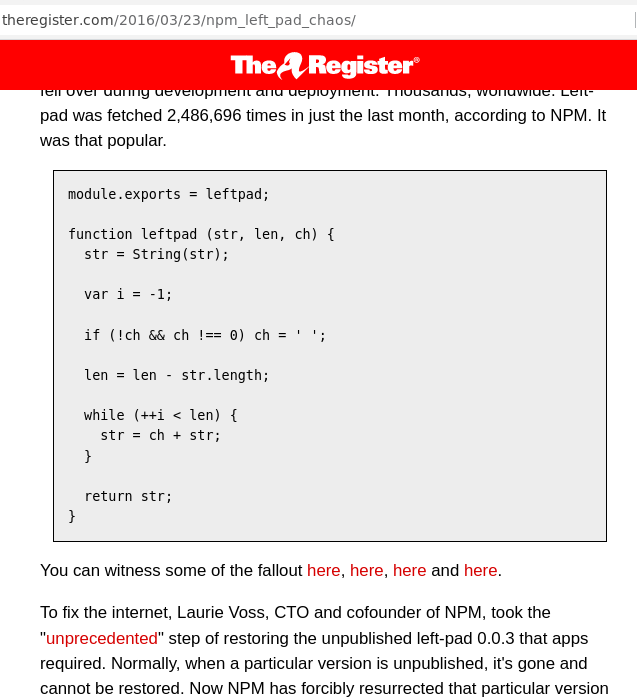
Rust and cargo: can't delete libraries that were published.